Many AI assistants that work with your own documents have never read the whole handbook. They only see a few snippets of it, picked by a search. The method is called RAG. Once you understand it, you can better judge when such assistants answer reliably and when they don’t.
How RAG works
RAG stands for retrieval augmented generation: text generation supported by a search. Patrick Lewis and colleagues described the method in 2020. It starts with preparation: all documents are cut into small snippets. Each snippet gets a numeric code for its meaning and goes into a database. Every question then goes through three steps:
- Translate the question: your question is also turned into such a numeric code.
- Search: the database looks for the snippets with the most similar code, usually just a handful.
- Answer: only now does the language model come in. It gets your question and these few snippets and writes the answer from them.
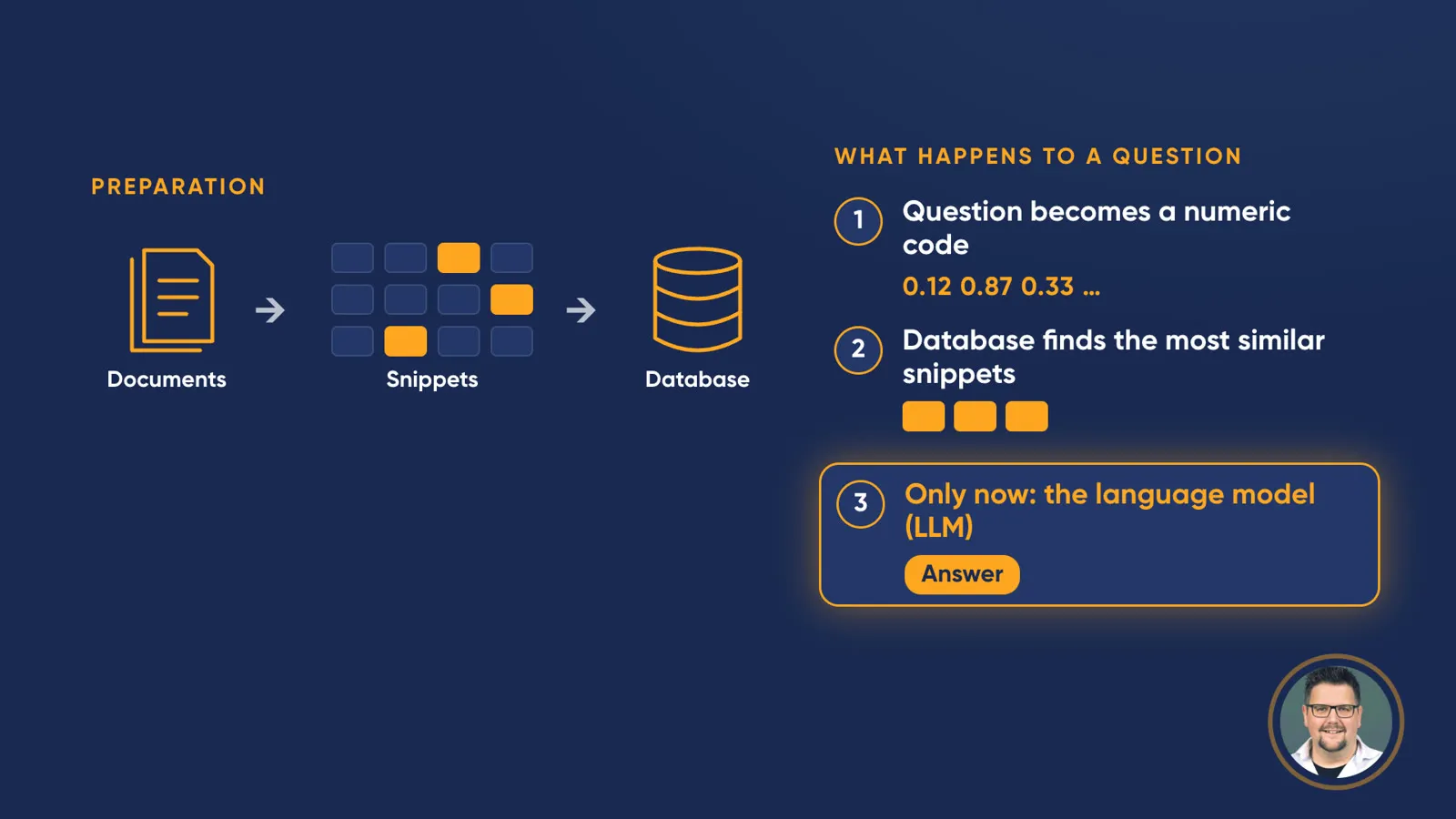
Preparation plus three steps per question: the language model only comes in at the end.
The video simplifies in a few places. In technical terms, the snippets are called chunks, the numeric code an embedding and the database a vector database. The embedding is also produced by a neural network, a so-called embedding model, but it isn’t a language model that writes answers. Some systems also use a language model to rephrase the question or to re-rank the snippets found. And how many snippets the model gets depends on the system.
What the language model sees
The language model never sees the whole handbook, only what the search picked beforehand. If the key snippet is missing, the model has nothing to stand on. Then it guesses, or says it can’t find anything. And connections across chapters easily get lost, because each snippet stands on its own.
Anthropic described the problem in 2024: traditional RAG systems remove context when they split documents, which often means they fail to retrieve the relevant information. A sentence about revenue growth doesn’t say on its own which company or which quarter it refers to. In Anthropic’s tests, adding context to each snippet reduced such failures considerably, but didn’t eliminate them.
The alternative: everything in the context window
The context window is everything a model can take into account when answering, a kind of working memory. According to Anthropic, current Claude models hold a million tokens. Tokens are the pieces a language model breaks text into: words, parts of words or punctuation marks. How many pages that is depends on the text. Anthropic equates 200,000 tokens with about 500 pages; scaled up, a million tokens comes to around 2,500 pages. That’s a rough guide, not an exact conversion.
If you put everything in directly, the model really has it all in front of it. Studies show that this is often better. In 2024, Zhuowan Li and colleagues compared both approaches on several public datasets: given enough resources, long-context models performed better on average than RAG. Anthropic, too, recommends simply including the entire knowledge base in the prompt if it is smaller than 200,000 tokens.
The downside of a large window
The large window has three limits:
- It only scales up to the limit of the window. A whole library won’t fit.
- Every question costs more and takes longer. Billing is per input token, and all the material goes in with every question. Prompt caching lowers the cost, but not to the level of RAG.
- The fuller the window, the more likely the model misses details. In 2023, Nelson Liu and colleagues showed that models make worse use of information in the middle of a long text than at the beginning or end (“lost in the middle”). In 2025, Chroma tested eighteen models and found that performance drops as input grows, even on simple tasks. Anthropic’s own documentation calls this “context rot”.
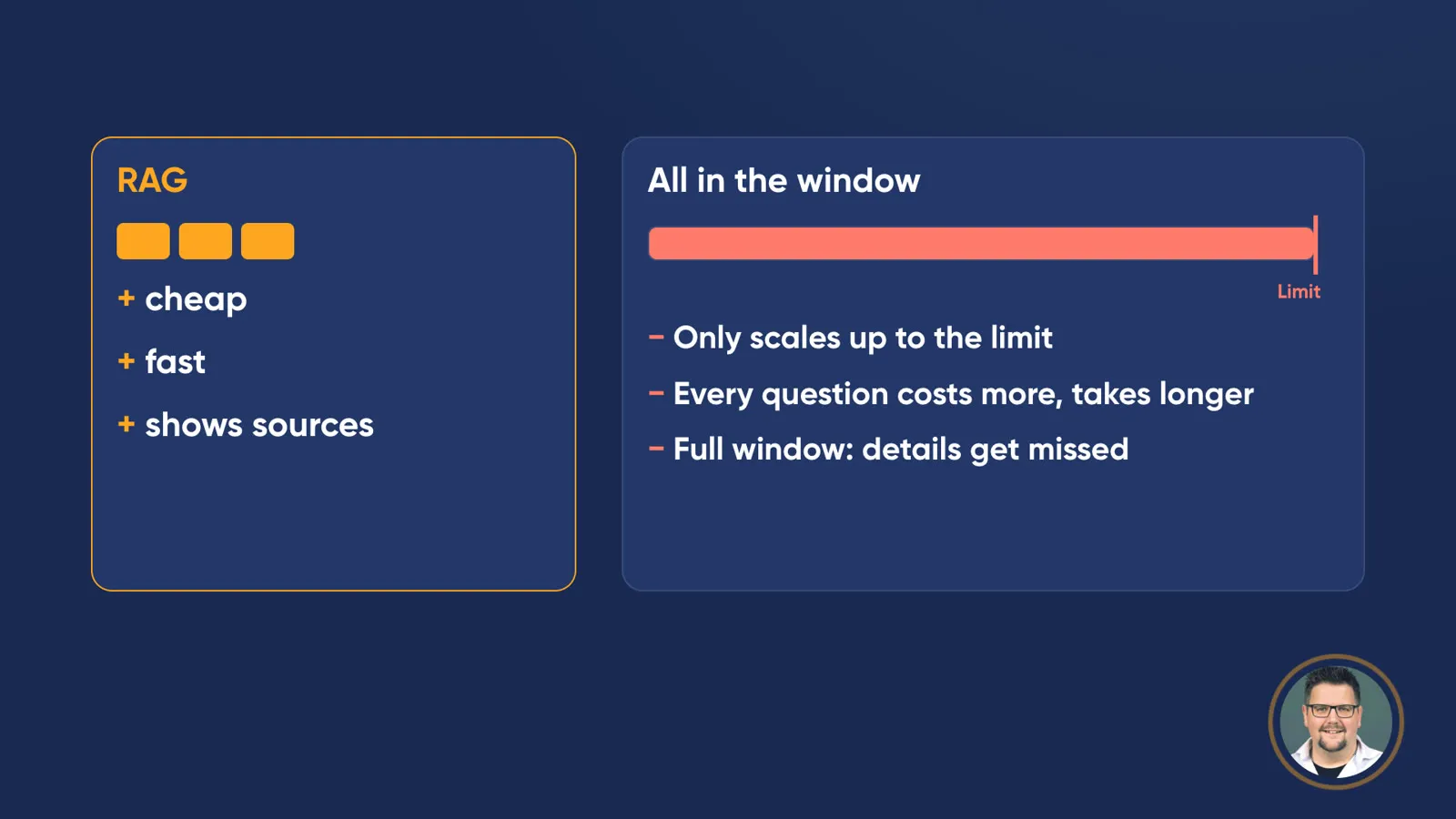
Both approaches have strengths: RAG is cheap and fast, the full window runs into limits.
RAG, on the other hand, has real advantages: it is cheap and fast. And because it is known which snippets were used, it can show where an answer comes from. Lewis and colleagues already named the lack of provenance as a weakness of language models without retrieval.
The rule of thumb
If it fits in the window, put it all in. If it’s a whole library, you need RAG. Or an agent that searches on its own.
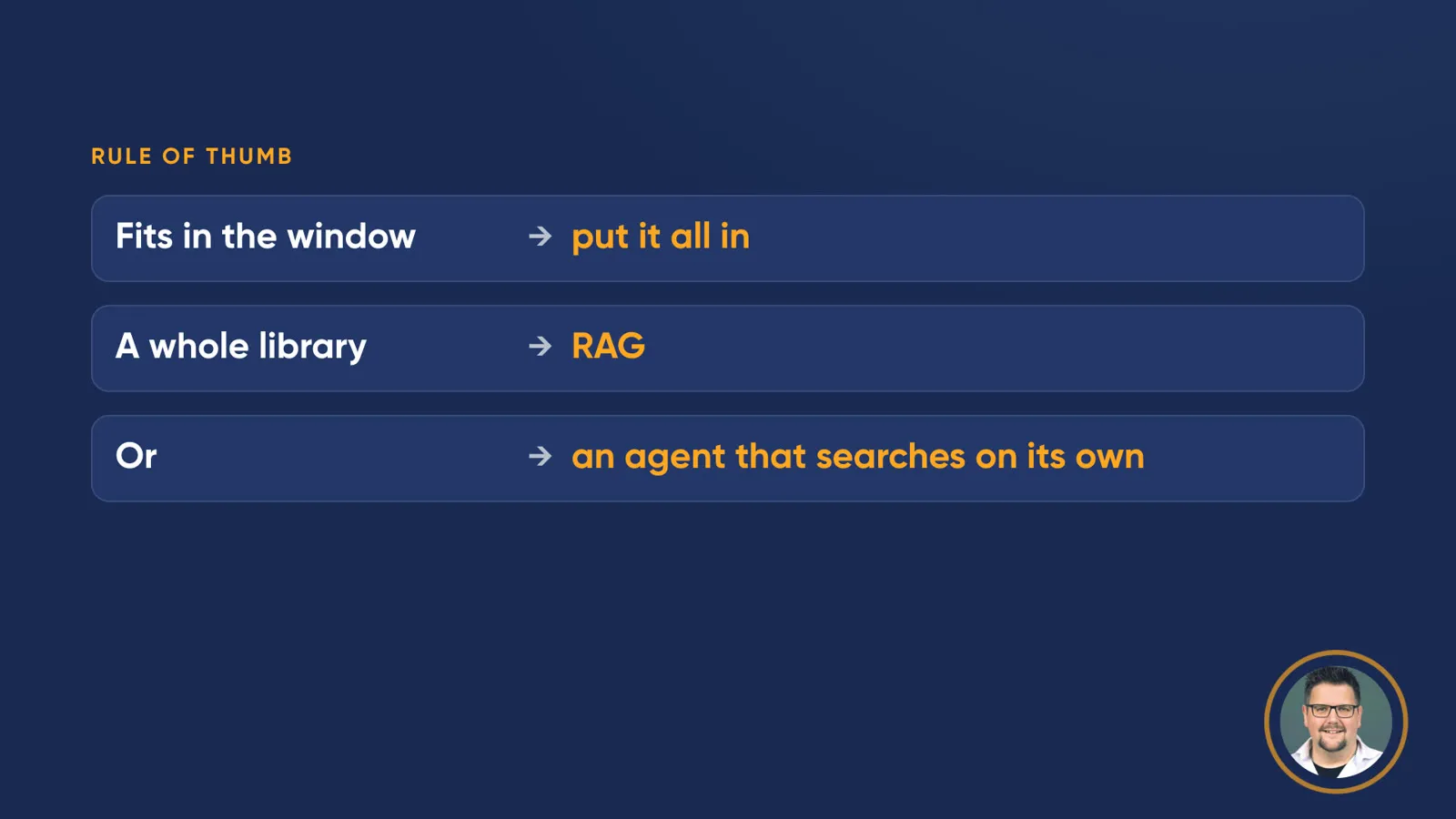
The rule of thumb from the video: the window, RAG or a searching agent.
An agent doesn’t pick snippets in advance. It searches with tools itself, checks what it finds and keeps searching if needed. Boris Cherny from the team behind Claude Code wrote in 2026 that early versions of the tool used RAG with a local vector database, but that agentic search generally works better and is simpler.
What this means for continuing education
If you use AI assistants for your own material, such as course dossiers or regulations, there are three things to take away:
Check answers against the source. If an assistant shows which document an answer comes from, it’s worth taking a look. That is one of RAG’s strengths.
“Nothing found” doesn’t mean “doesn’t exist”. The search may simply have missed the right snippet. Try asking again with different words.
Be careful with questions that span several chapters. Comparisons, summaries of entire documents or contradictions between sections easily get lost with RAG. If the document fits in the window, it is often better to provide all of it.
What exactly separates a model, a language model, a chat and an agent is explained in Model, LLM, chat, agent: four terms, one picture.
My suggestion
Test the AI assistant that you or your participants use for your own documents with three questions about a document you know well: a detail question answered in a single section, a question that links two chapters, and a question whose answer isn’t in the document at all. Compare the answers with the original. You’ll quickly see where the assistant is reliable, and you can go through the results with your participants.
If you know what the model sees, you also know what it can’t know.
Frequently asked questions
What is RAG (retrieval augmented generation)?
RAG is a method in which a search first picks matching text snippets from documents and a language model then writes the answer from them. The model only sees the selected snippets, not the whole documents.
Is RAG better than a large context window?
Not in general. A study by Li and colleagues (2024) found that long-context models perform better on average, while RAG is significantly cheaper. Rule of thumb: if the material fits in the window, put it all in; for a whole library, you need RAG or an agent that searches on its own.
How many pages fit into a million tokens?
Around 2,500 pages. Anthropic equates 200,000 tokens with about 500 pages, so the figure is an estimate that depends on the text.
Sources
- Lewis et al.: Retrieval-Augmented Generation for Knowledge-Intensive NLP Tasks (2020)
- Anthropic: Contextual Retrieval (2024)
- Anthropic: Context windows, Claude documentation (2026)
- Li et al.: Retrieval Augmented Generation or Long-Context LLMs? A Comprehensive Study and Hybrid Approach (2024)
- Liu et al.: Lost in the Middle: How Language Models Use Long Contexts (2023)
- Hong, Troynikov & Huber (Chroma): Context Rot (2025)
- Boris Cherny: Post on X about search in Claude Code (2026)
- Anthropic: Building effective agents (2024)
Reuse